User preferences can be set to control the default filters that apply in analytics so that relevant data is shown on initial load - this might be to exclude lobby floors, client floors or filter for certain buildings so that the data that is most relevant to you loads by default. Filters can still be adjusted within the dashboards themselves.
This includes setting defaults for
- Buildings - Ability to filter to certain buildings by default
- Floors - Able to filter out certain floors by default
- Currency - AUD/USD/Pound/Euro
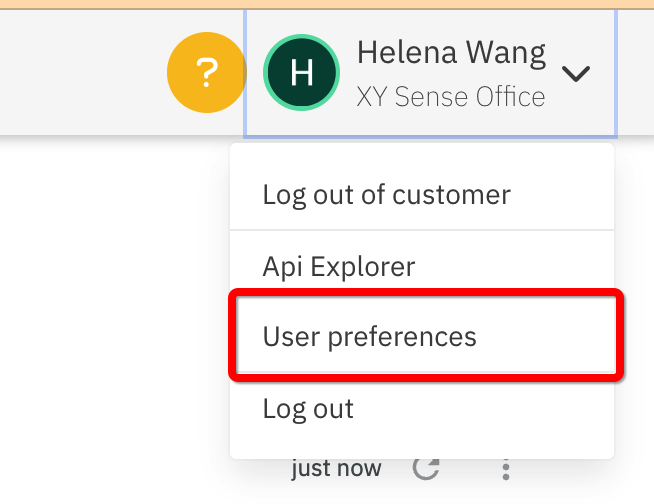
1. Select User preferences in the user dropdown
2. Set your defaults to apply to filters in analytics dashboards
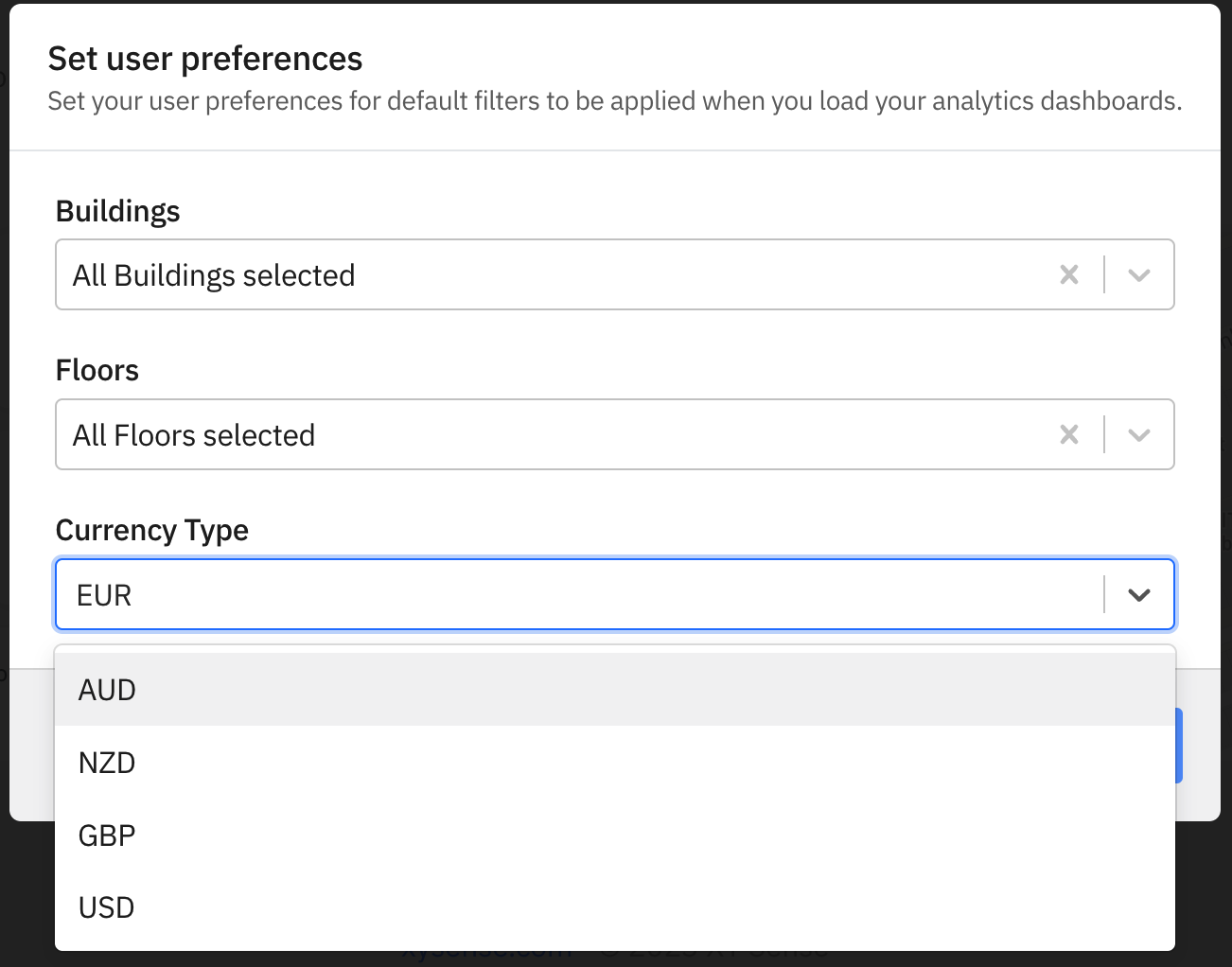
Selections are available for for your analytics dashboards for buildings, floors and currency. If there is no selection saved, the default for the dashboard will be all buildings and all floors. The default currency is USD.
3. Click to refresh the page
To see the defaults apply to the current dashboard or homepage.
Comments
0 comments