What is a calendar integration in XY Sense?
A calendar integration with XY Sense combines sensor occupancy and utilization data with scheduled booking data from your calendar application. XY Sense pulls in the scheduled meetings, mapped against spaces with sensors attached, and provides an Analytics dashboard comparing the actual utilization against the scheduled sessions.
Note that as with any analytics dashboard, the data provided is reliant on the types of sensors installed in each space.
The Space Booking Analytics dashboard can be made available within the Analytics section of XY Sense when the integration is activated. Your CSM will be able to assist with this request.
Pre-requisites
- You will need request your CSM enable the feature
- A Google Service Account and key needs to have been set up prior to starting this integration
- Instructions can be found here: Google Service Account
- Ensure you have granted the new app (in the Google Service Account) access to calendars
- You must have access to XY Sense Application with 'Admin' permission
Instructions
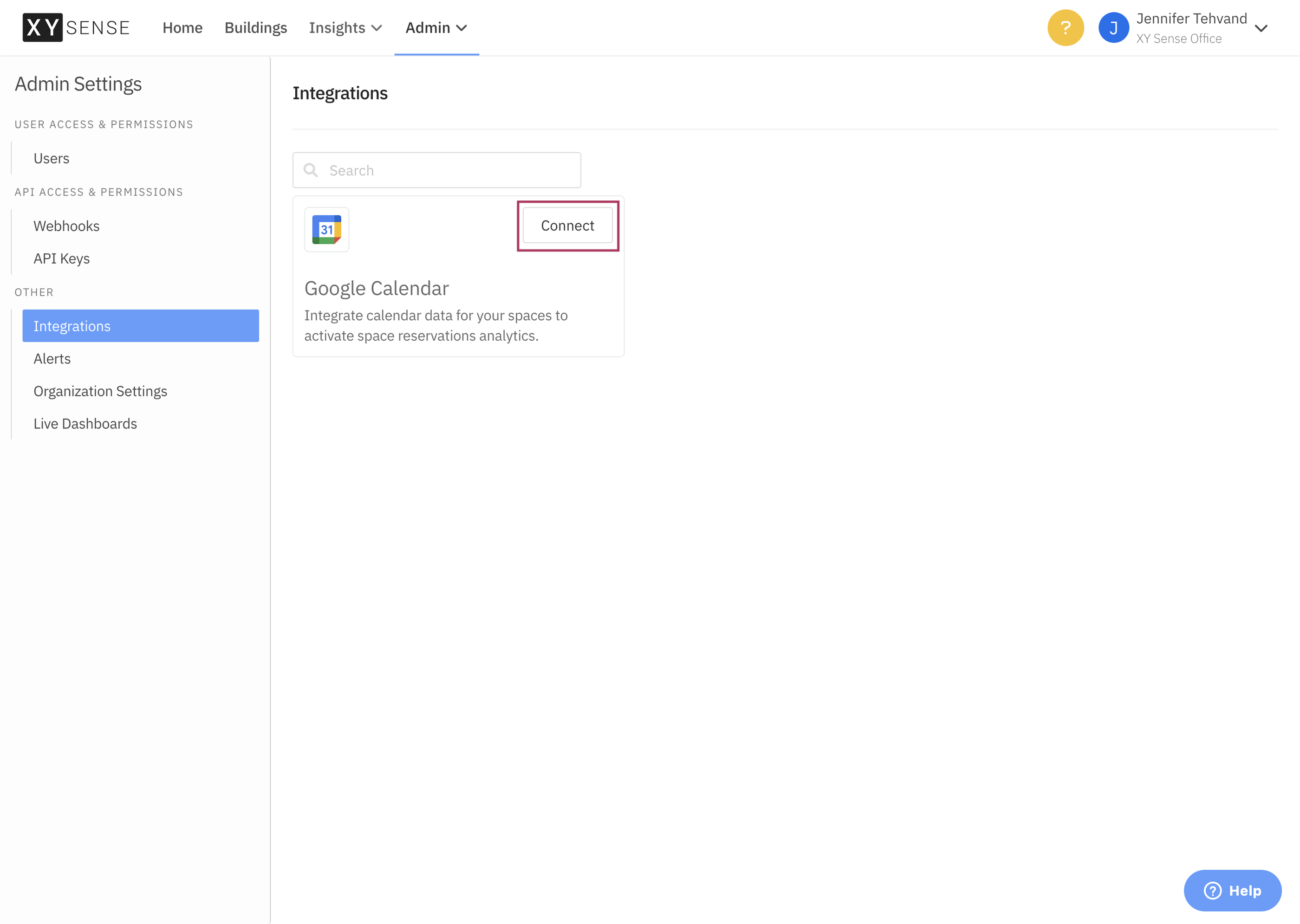
- Navigate within the XY Application to Admin > Integrations. Click Connect on the Google Calendar tile.
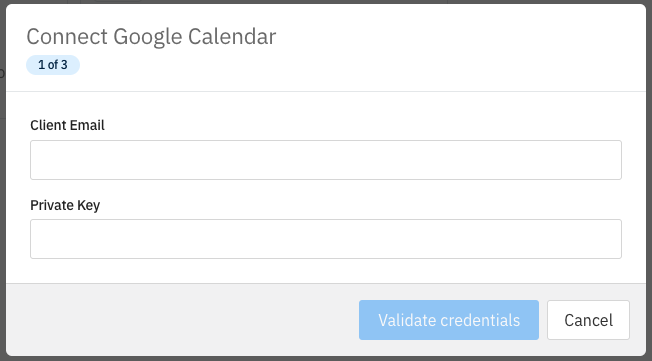
2. Populate Connection details - these can be obtained from your Google Service Account
You will need:
- a Client Email (nameofaccount@exampleorginization.gserviceaccount.com)
- A private key
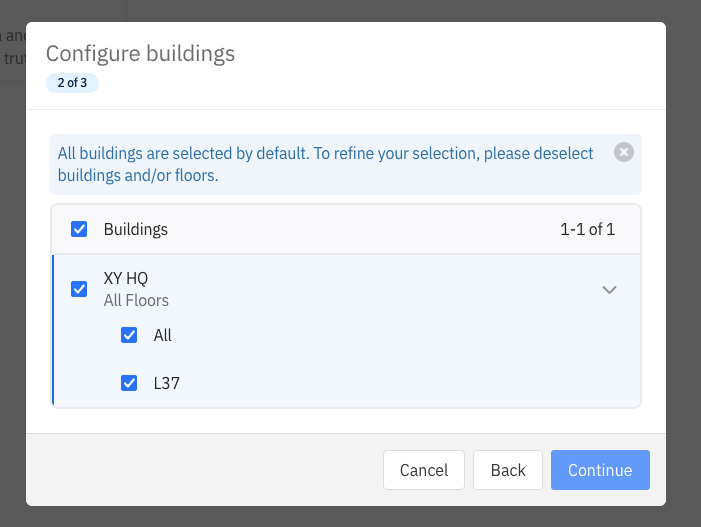
3. Select scope of buildings and floors to connect for Google Calendar integration
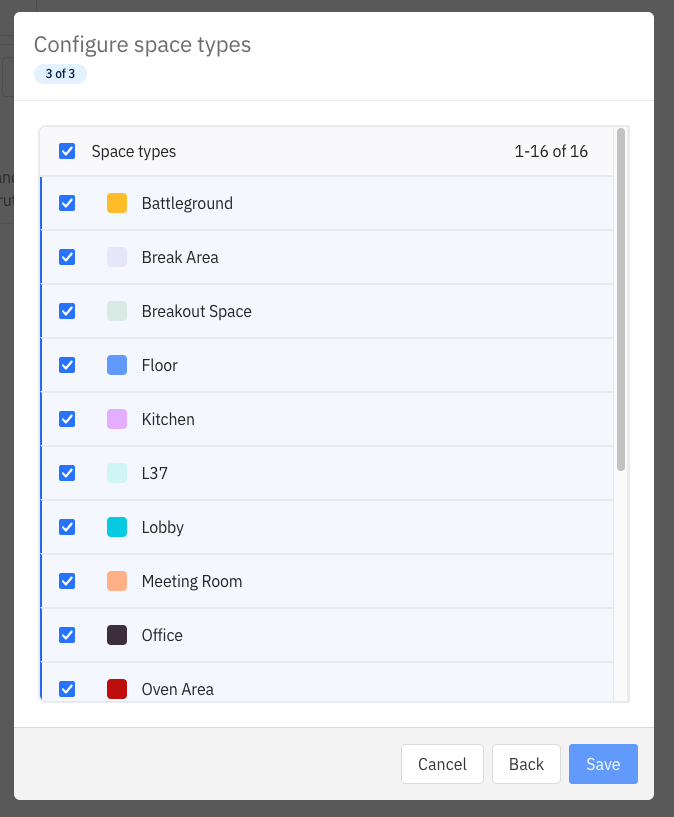
4. Select scope of space types for the integration, these will be bookable resources with mailboxes available to integrate for - typically meeting rooms. Click Save
5. Navigate to the Spaces tab, within the Integrations page, and begin linking spaces to mailboxes. You can filter the page through the building/floor dropdowns and apply 'View by filters' to streamline your process.
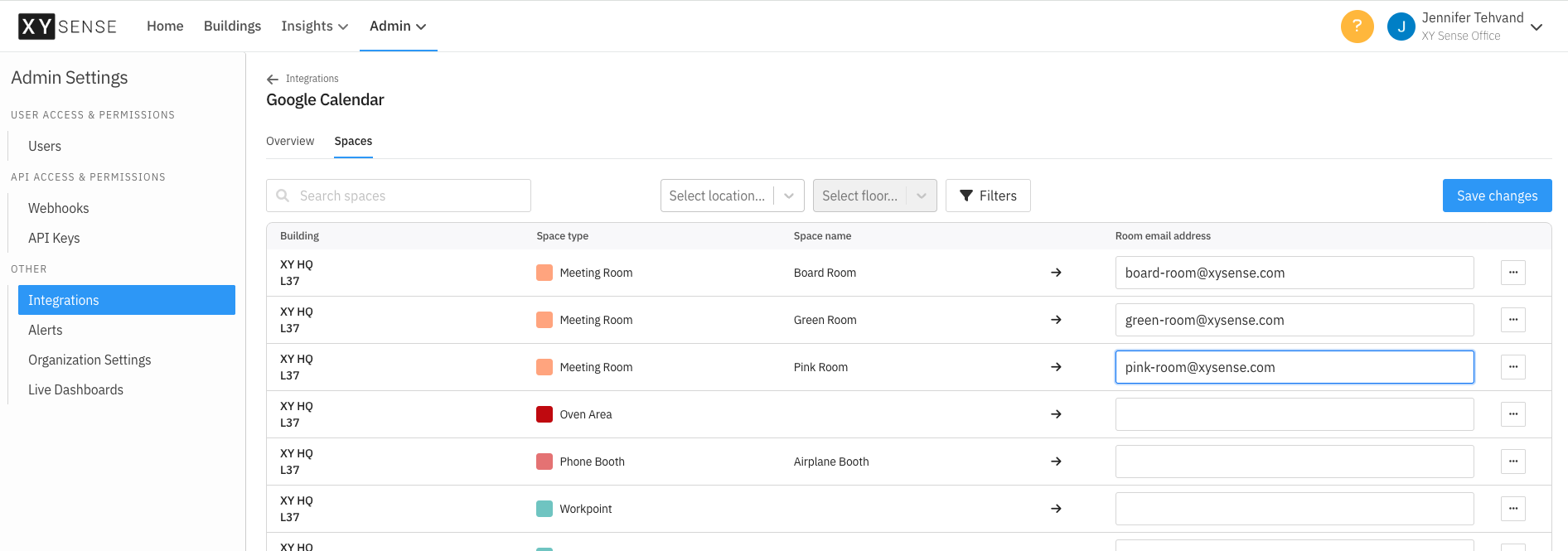
Note: Use the ellipsis menu next to a space to 'Hide space' if this space does not have a mailbox to be assigned.
Backfill dates:
It is possible to request via support@xysense.com to backfill meeting information. You will need to clearly identify which date you'd like to start the backfill from eg. 3 months before today's date, and specify the specific date.
Comments
0 comments