Configure Building settings - opening hours and cost per workpoint
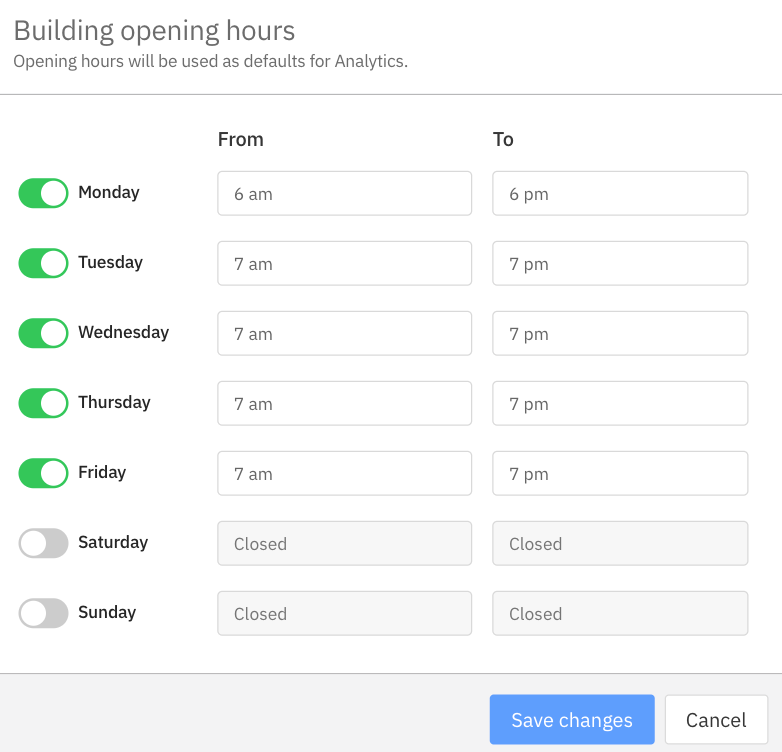
Setup your organization's standard opening hours to determine the times analytics should be captured for your workspace and additional attributes such as cost per workpoint per building for more accurate indicative financial impact of space utilization across your portfolio.
- Set building standard opening hours
- Set cost per workpoint per building (in USD)
- Set custom opening hours by floor (coming soon)
Cost per workpoint changes will apply in analytics dashboards automatically within 5 hours. Changes to standard operating hours post-initial setup period will require contacting the support team to reprocess historical data.
Configure Organization Metric Defaults for Utilization & Camping
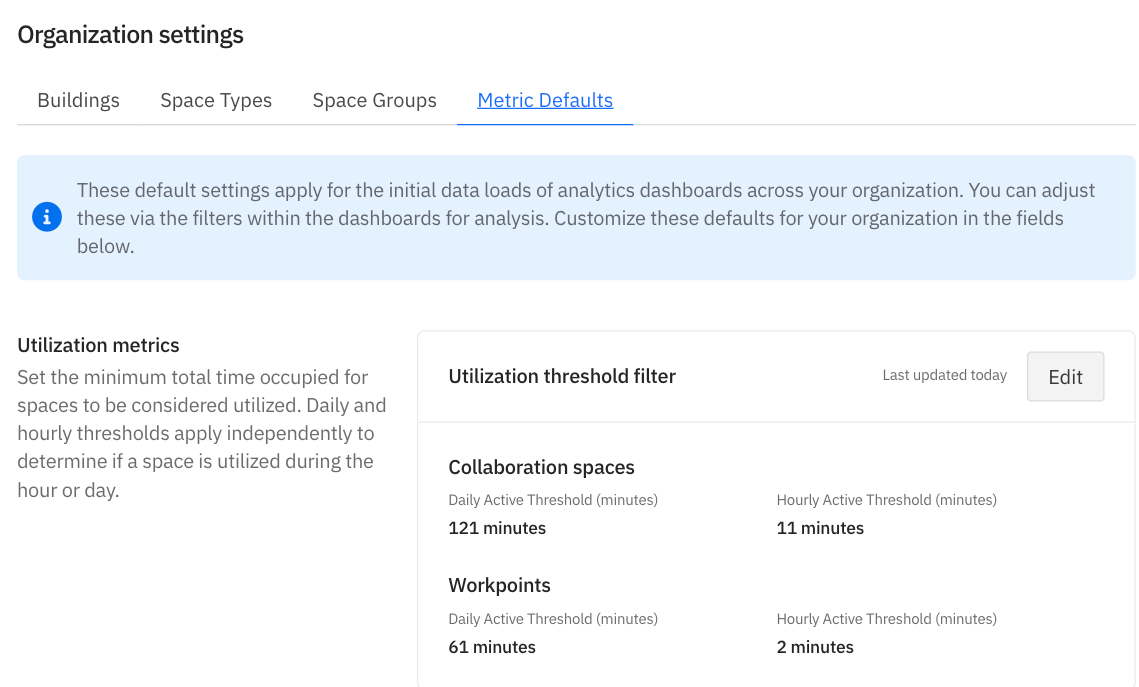
Set and update your organization settings for metric defaults for workpoints and collaboration spaces to define the default values for your analytics metrics:
- Set Daily Utilization thresholds for collaboration spaces and personal workspaces - the minimum total minutes occupied across the day to be considered utilized
- Set Hourly Utilization thresholds for collaboration spaces and personal workspaces - the minimum total minutes occupied during an hour to be considered utilized
- Set Camping threshold (workpoints) - total duration in minutes for a gap between occupied sessions for the space to flag potential camping behaviors.
These apply immediately to the initial loads of your analytics dashboards
Find instructions on how to configure Organization Settings in the XY Sense knowledge base:
Comments
0 comments